How we decide when to alert you
WebsitePulse does not alert you the moment something looks wrong. There are two deliberate mechanisms that determine when you hear from us, and understanding them will help you get the most out of your monitoring.
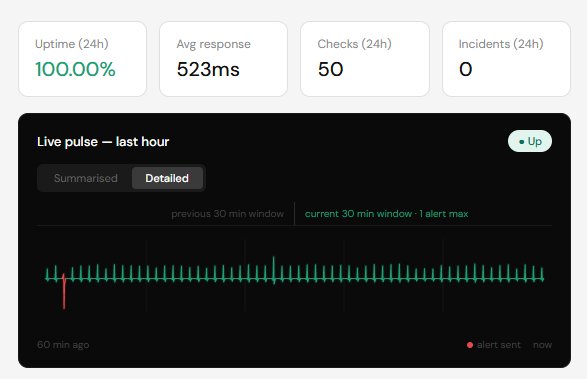
Consecutive failure checks
When WebsitePulse detects that your site is unavailable, it waits to confirm the problem across multiple checks before sending a notification.
This is deliberate. Brief blips, a server hiccup, a momentary network issue, a slow response that resolves itself, are common and almost never require action. Alerting on every single one would flood your inbox with false alarms and train you to ignore notifications, which defeats the purpose.
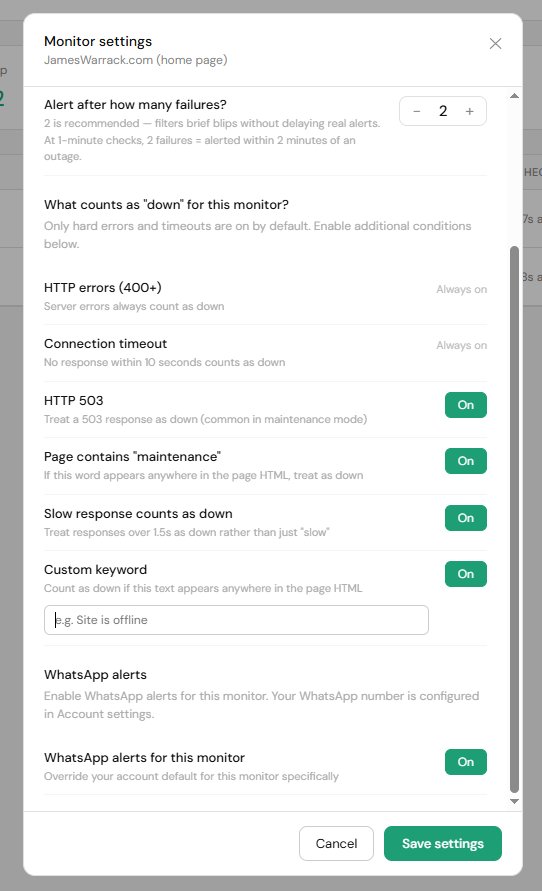
By default we wait for 2 consecutive failed checks before alerting you. At 1-minute check intervals that means you will hear from us within 2 minutes of a confirmed outage. At 5-minute intervals, within 10 minutes. You can adjust this in your monitor settings: 1 for maximum sensitivity, up to 5 if your site is prone to occasional blips.
The 30-minute alert cooldown
Once we have alerted you that a site is down, we will not send another down alert for the same monitor within 30 minutes, even if the site goes down, comes back up, and goes down again in that window.
This prevents a common frustration: sites that are intermittently struggling can flicker between up and down rapidly, which without a cooldown would generate a stream of alerts in quick succession. The cooldown ensures you get a clear signal, down then recovered, without the noise in between.
You will still always receive a recovery notification when your site comes back up.