How the badge works
The free plan requires you to display a small WebsitePulse badge or link on each site you monitor. This is how we keep the free plan sustainable.
What does the badge look like?
The badge is a small text link or image that reads "Uptime monitored by WebsitePulse". It links back to websitepulse.io. You can see an example in your dashboard under "Free plan badge".
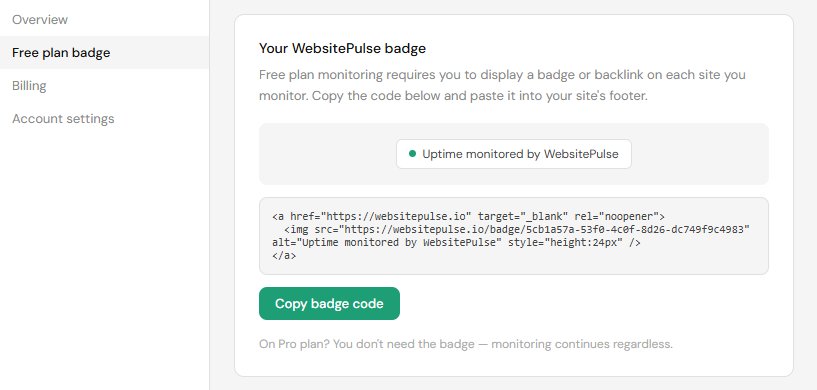
Where do I get the badge code?
Log in to your WebsitePulse dashboard and click "Free plan badge" in the left sidebar. You will see a code snippet to copy and paste into your website.
Where should I put it?
Paste it into your website footer. It should appear on every page, not just the home page. If you have a mobile and desktop version of your footer, add it to both.
What happens if I remove it?
WebsitePulse checks for the badge on every monitoring cycle. If it is not found, your monitor will be paused and you will receive an email explaining what happened. Learn what to do if your badge is removed.