Setting up WhatsApp alerts
WhatsApp alerts are available on the Pro plan. Once set up, you will receive a WhatsApp message the moment your site goes down and another when it recovers.
Step 1: Activate the WhatsApp connection
Before you can receive alerts, you need to connect your phone to the WebsitePulse WhatsApp sender. Open WhatsApp on your phone and send this message:
join industry-ready
Send it to: +1 415 523 8886
You will receive a confirmation message back saying you have joined the sandbox. This only needs to be done once.
Step 2: Add your number in Account settings
In your WebsitePulse dashboard, go to Account settings in the left sidebar. Enter your WhatsApp number including the country code (for example +447700900000 for a UK number).
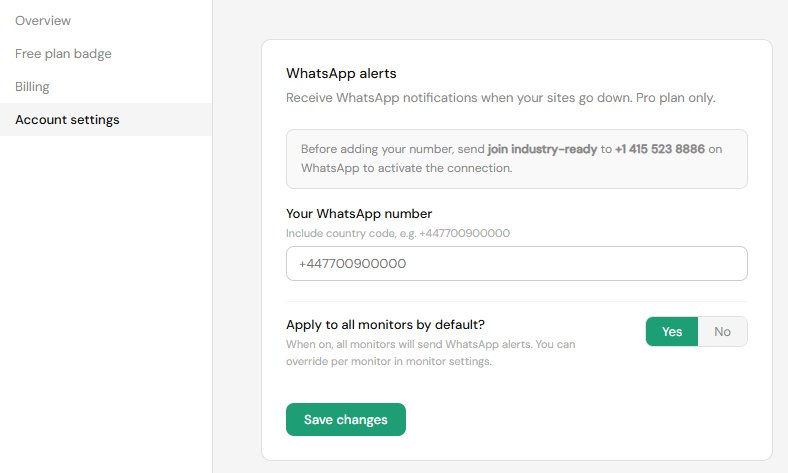
Step 3: Choose which monitors receive WhatsApp alerts
You can apply WhatsApp alerts to all monitors by default using the "Apply to all monitors" toggle, or turn them on per monitor using the settings cog on each monitor row.